
Typically, the story looks like this: You read about competitors adding AI. Naturally, you panic. So, you add ChatGPT to your app. Then, you check adoption rates.
Nobody uses it.
This guide shows you which AI features for SaaS increase revenue. More importantly, we’ll cover which ones waste your budget. Finally, you’ll discover when to skip AI entirely.
Which AI Features for SaaS Actually Increase Revenue?
Unfortunately, not all AI features for SaaS drive the same results. In fact, some increase engagement by 40%. Meanwhile, others go completely unused
AI Agent Cost At a Glance
| AI Feature | Revenue Impact | User Adoption | Cost to Build | ROI Timeline |
|---|---|---|---|---|
| Search/Discovery | +20-35% | 60-80% | $10K-$30K | 4-6 weeks |
| Personalization | +15-42% | 50-70% | $20K-$50K | 8-12 weeks |
| Automation | +25-40% | 40-60% | $15K-$40K | 6-10 weeks |
| Insights/Analytics | +10-25% | 30-50% | $25K-$60K | 8-16 weeks |
| Content Generation | +5-15% | 20-40% | $12K-$30K | 4-8 weeks |
| Chatbot Support | +8-20% | 35-55% | $10K-$25K | 3-6 weeks |
Real Numbers: AI Features for SaaS That Work
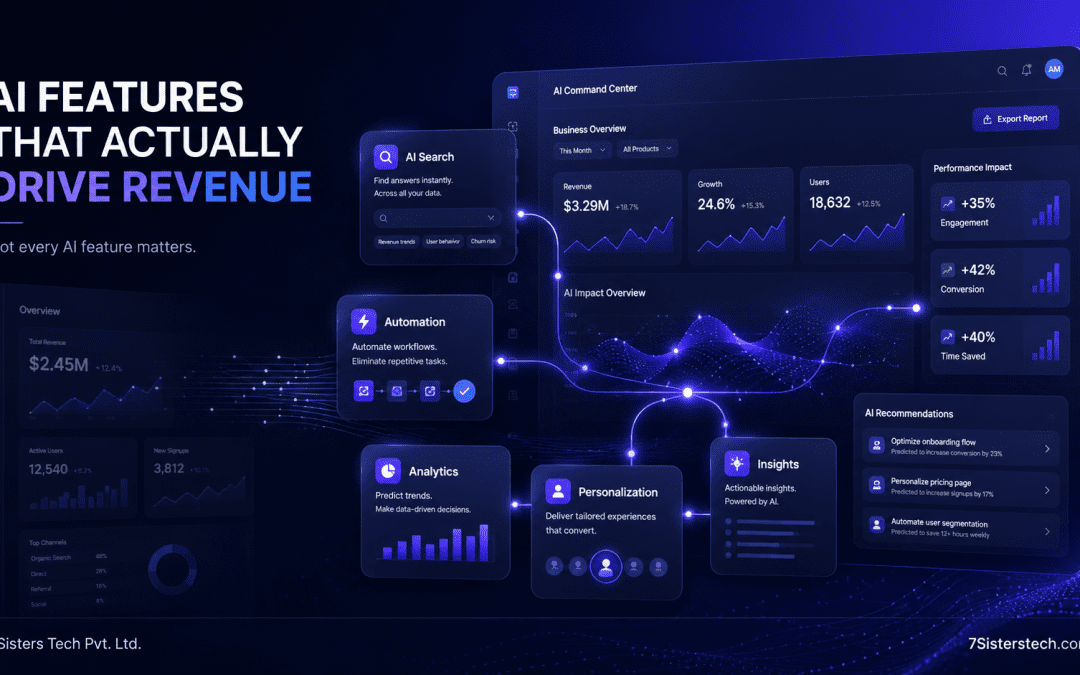
AI Search/Discovery (+35% Engagement)
What it does: AI understands user intent, not just keywords.”Find red shoes under $50″ → AI returns relevant results, not keyword matches.
Cost to build: $10K-$30K
Timeline: 4-6 weeks
Adoption rate: 60-80% of users
Why it works: Better search means users find what they need faster. As a result, you get a 35% engagement lift.
Real example:
- E-commerce SaaS: Added AI search
- Result: 35% increase in items viewed per session
- Revenue impact: +$80K in year 1
- Payback: 12 weeks
AI Personalization (+42% Conversion)
What it does: The system shows each user different features based on their past behavior.
For instance, a new user sees onboarding. Meanwhile, a power user goes straight to advanced features.
Cost to build: $20K-$50K
Timeline: 8-12 weeks
Adoption rate: 50-70%
Why it works: When users see relevant features, they reach value faster. This leads to higher retention rates.
Real example:
- SaaS product: Built personalized dashboard
- Result: 42% increase in feature adoption
- Revenue impact: +25% annual recurring revenue
- Payback: 5-6 months
AI Automation (+40% Time Saved)
What it does: The system handles repetitive tasks without human help.
- Auto-categorize data
- Auto-fill forms
- Auto-generate reports
- Auto-detect anomalies
Cost to build: $15K-$40K
Timeline: 6-10 weeks
Adoption rate: 40-60%
Why it works: When users save hours of work, satisfaction goes up. Furthermore, lower churn rates follow naturally.
Real example:
- CRM SaaS: Added AI contact categorization
- Result: Users saved 5 hours/week
- Retention impact: 18% lower churn
- Revenue impact: +$120K/year retained
AI Features for SaaS That Waste Budget
Unfortunately, not every AI feature for SaaS makes business sense. Here’s what commonly fails:
AI Writing Assistant in Text Editor
- Cost: $15K-$40K
- Adoption: 5-15%
- Revenue impact: Minimal
- Why it fails: Users already write quickly. Adding AI assistance slows them down instead of helping.
AI Mood Detection
- Cost: $20K-$35K
- Adoption: 2-8%
- Revenue impact: Negative (creepy to users)
- Why it fails: There’s no business benefit. Plus, users don’t trust it.
AI Recommendations Without Context
- Cost: $25K-$50K
- Adoption: 8-20%
- Revenue impact: Minimal
- Why it fails: Generic suggestions don’t feel personal to each user.
AI Chatbot That Can't Solve Problems
- Cost: $10K-$20K
- Adoption: 15-25%
- Revenue impact: Negative (users frustrated)
- Why it fails: If it can’t actually help, it damages your support experience.
The Real AI Feature Cost Breakdown
Building AI features for SaaS costs more than just API calls. Let’s break it down:
Development ($12K-$50K)
- LLM integration: $3K-$10K
- Data pipeline: $4K-$15K
- Testing & safety: $3K-$10K
- UI/UX for feature: $2K-$15K
Monthly Operations ($300-$2K)
- API calls (grows with usage)
- Infrastructure & hosting
- Monitoring & alerts
- Maintenance & updates
Hidden Costs ($3K-$10K)
- Tuning prompts (when it doesn’t work right)
- Handling edge cases
- Customer support for AI failures
- Retraining when behavior changes
Decision Framework: Should You Add This AI Feature?
Ask these 4 questions before building any AI feature for SaaS:
1. Does It Solve a Real User Problem?
Not “Is it cool?” but “Does it save time or increase value?”
Examples that solve problems:
- AI search saves users 10+ minutes per week
- AI personalization shows relevant features faster
- AI automation reduces manual work
Examples that don’t:
- AI writing suggestions nobody asked for
- AI mood detection (no one benefits)
- AI recommendations that miss the mark
2. Is the ROI Positive in 12 Months?
Simple math:
Build cost ($20K) + Year 1 ops ($8K) = $28K
Revenue impact from feature: +$50K (or churn reduction worth $50K)
ROI: 78% payback in 12 months
In simple terms, if the revenue impact is lower than the total cost, the feature probably isn’t worth building.
3. Can You Build It Right?
Half-built AI features can seriously hurt your product.
Requirements:
- Proper testing (prevents hallucinations)
- Monitoring (detect failures)
- Fallback plan (if AI doesn’t work)
- Support team trained (handle complaints)
If you can’t meet these, don’t build it.
4. Will Competitors Force Your Hand?
Only reason to build something losing money: competitive necessity.
Example:
- Competitor adds AI search
- You lose deals because search is worse
- You must build even if ROI is negative short-term
This is the only exception.
Three Real Scenarios: When to Add AI Features for SaaS
Scenario 1: Early-Stage SaaS ($100K ARR)
Recommendation: Skip AI features
Why:
- You need growth, not features
- Limited budget ($5K-$15K)
- Better to improve core product
- Users don’t need AI yet; they need the basics to work
When to add AI:
- Once you hit $500K ARR
- Once core product is solid
- Once users are asking for it
Scenario 3: Mature SaaS ($2M+ ARR)
Recommendation: Add 2-4 AI features strategically
Approach:
- Build multiple features (search, personalization, automation, insights)
- Create “AI-powered” marketing story
- Use AI as retention lever (stickiness)
- Invest in quality (monitoring, support, UX)
Budget: $80K-$150K for 3-4 features
Scenario 2: Mid-Stage SaaS ($500K-$2M ARR)
Recommendation: Add 1-2 AI features if they solve real problems
Best choices:
- Search/discovery (solves “I can’t find things” problem)
- Personalization (solves “product feels generic” problem)
- Automation (solves “I do repetitive work” problem)
Strategy:
- First, build one feature fully.
- Measure adoption & revenue impact
- Build second feature only if first succeeds
- Never build just to keep up with competitors
Budget: $20K-$50K for first feature
How to Build AI Features for SaaS the Right Way
Step 1: User Testing First ($0-$2K)
Before building, test with 10-20 users.
“If we added AI search that understood intent, would you use it?”
Results matter more than your gut feel.
Step 3: Monitor Before Full Rollout ($1K-$3K)
Test with 5-10% of users first.
Track:
- Adoption rate
- Time saved (if applicable)
- Error rate
- Support tickets related to feature
Step 2: Minimum Viable Version ($10K-$20K)
Build the simplest version that solves the problem.
Don’t build “perfect AI.” Build “good enough AI that solves one problem.”
Step 4: Full Rollout + Education ($2K-$5K)
Once metrics look good:
- Announce feature
- Train customer success team
- Monitor feedback
- Iterate based on usage
FAQ: AI Features for SaaS
Should we use ChatGPT API or fine-tune our own model?
How long until we see ROI from AI features?
Can we just use a no-code AI tool?
Should we tell users about the AI?
What if competitors are adding AI features?
The Real Talk
Most AI features for SaaS fail because:
- No clear problem solved – Built because it’s cool, not because users need it
- Poor execution – Hallucinations, errors, support burden
- Wrong audience – Feature for power users; launched to beginners
- No education – Users don’t know feature exists or how to use it
- Overcomplicated – Built the “perfect AI” instead of “good enough AI”
AI features for SaaS succeed when:
- They solve a clear, specific problem
- Users adopt them (50%+)
- ROI is positive within 12 months
- Execution is clean (no hallucinations)
- They’re easy to use
- Team is ready to support them
Next Steps: Building AI Features for SaaS
1. Identify the problem
- What do users struggle with?
- What takes them the most time?
- What causes them to leave?
2. Test the solution
- Talk to 10-20 users
- Ask if they’d use AI for this
- Gauge interest level
3. Build the right way
- MVP first (not perfect AI)
- Monitor for 4-6 weeks
- Measure adoption & ROI
4. Decide to scale or kill it
- If adoption >50% and ROI positive → Scale it
- If adoption <30% or ROI negative → Kill it
Don’t let sunk costs keep you building features nobody uses.
Related Reading
AI Agent Development Cost 2026: Real Budget Guide
SaaS Development Cost 2026: What US Startups Actually Pay
How to Build a SaaS MVP in 2026: Real Costs, Honest Timelines
AI-Powered Mobile Apps: How Businesses Are Using AI Without Over-Engineering
Disclaimer
The information, cost estimates, and revenue projections in this article are based on market research and industry data as of April 2026. They are approximations and may vary significantly based on your specific situation.
Important:
- Costs may vary 15-40% higher or lower based on feature complexity
- Adoption rates and revenue impact depend on execution quality and market fit
- Results are not guaranteed – AI features succeed or fail based on user demand
- This is not professional advice – consult with experienced product leaders before major investment decisions
For accurate estimates specific to your SaaS product, consult with a development partner. For strategic advice, work with product advisors who know your market.
Ready to add AI features to your SaaS?
We’ve built AI features for SaaS products. We can help you decide which ones matter for your product.
Schedule a Free AI Strategy Call
Or email us → hello@7sisterstech.com · WhatsApp us +91 9974123196